You can now bundle rooms with additional products (such as breakfast) to create comprehensive packages for your property using the Rate Code feature. This allows for better visibility and simplified booking for travel agencies.
Create your product.
Before building a package, ensure the additional items you want to bundle are already set up in Travia. If the product has not been created you can click here to learn how.
Define the Rate Code.
Create the new rate code by opening the rate code feature. Fill in the necessary fields.
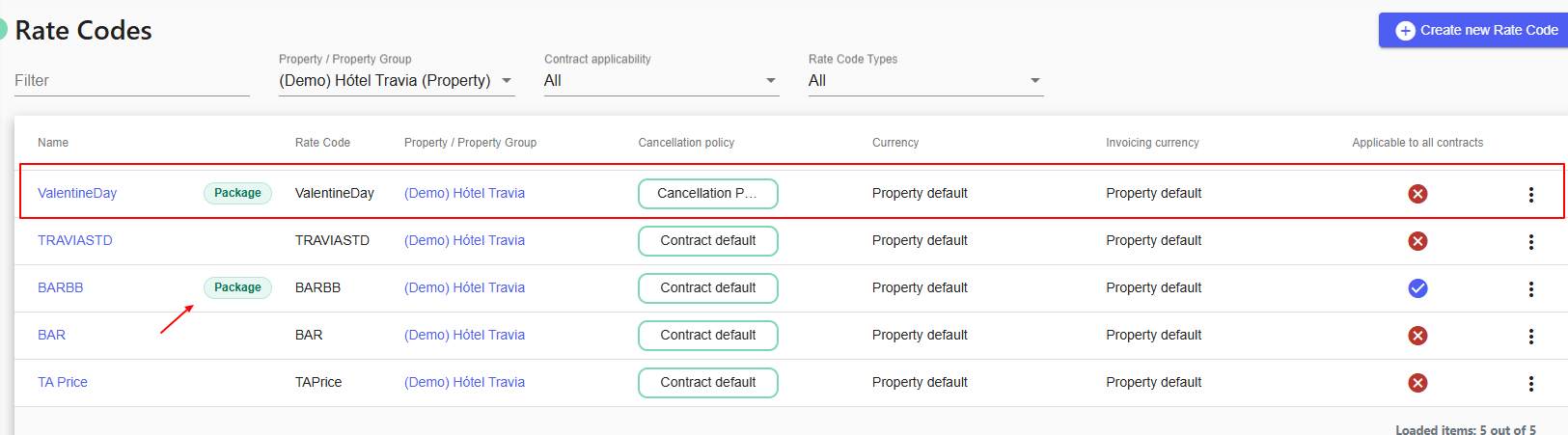
Rate codes that include both accommodation and products like breakfast are automatically bundled as package.
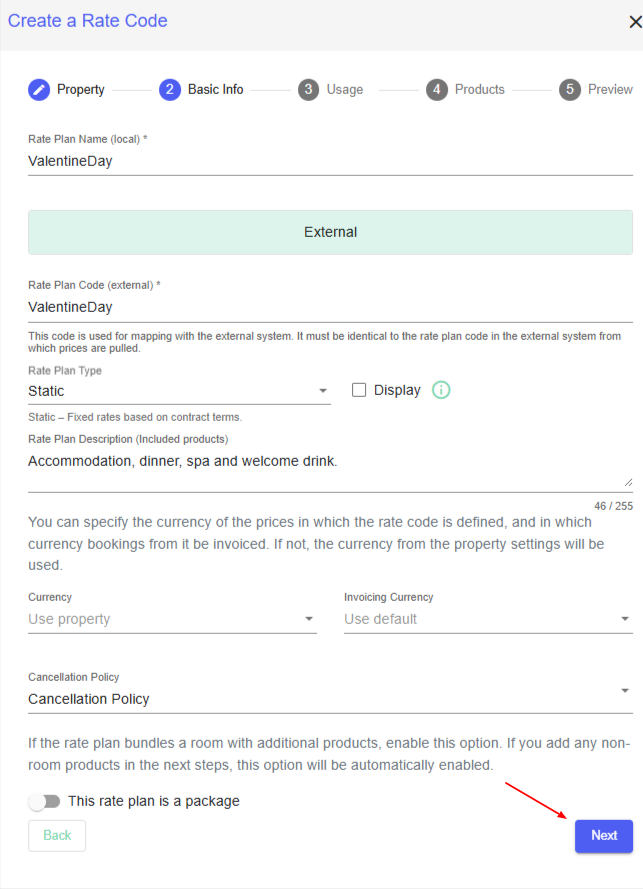
Bundle Products into the Package
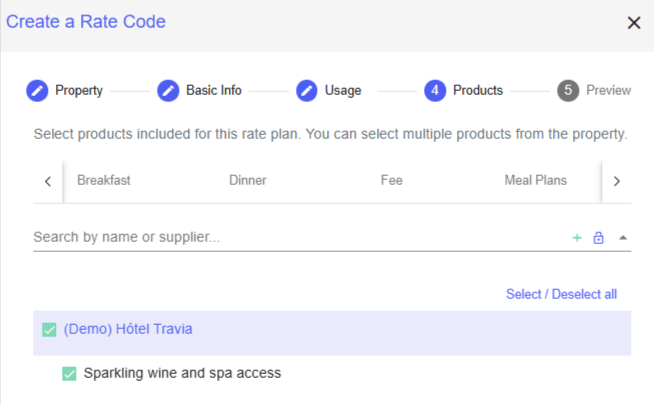
Once your rate code is defined, you must attach the specific products.
Choose the relevant items from your product list that apply to this package.
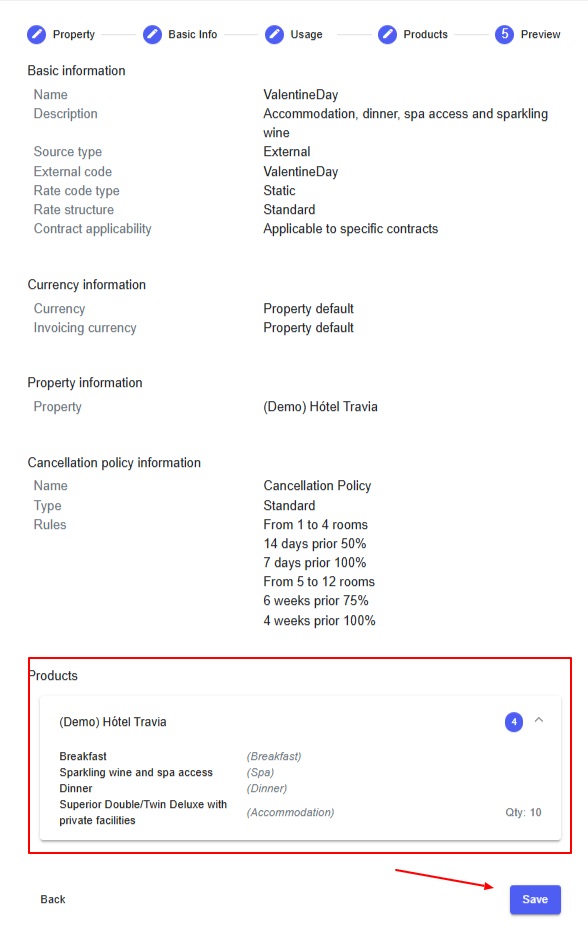
View the RatePlan package in the Preview and click Save.
The Rate Code has been successfully created.
Assign to travel agencies
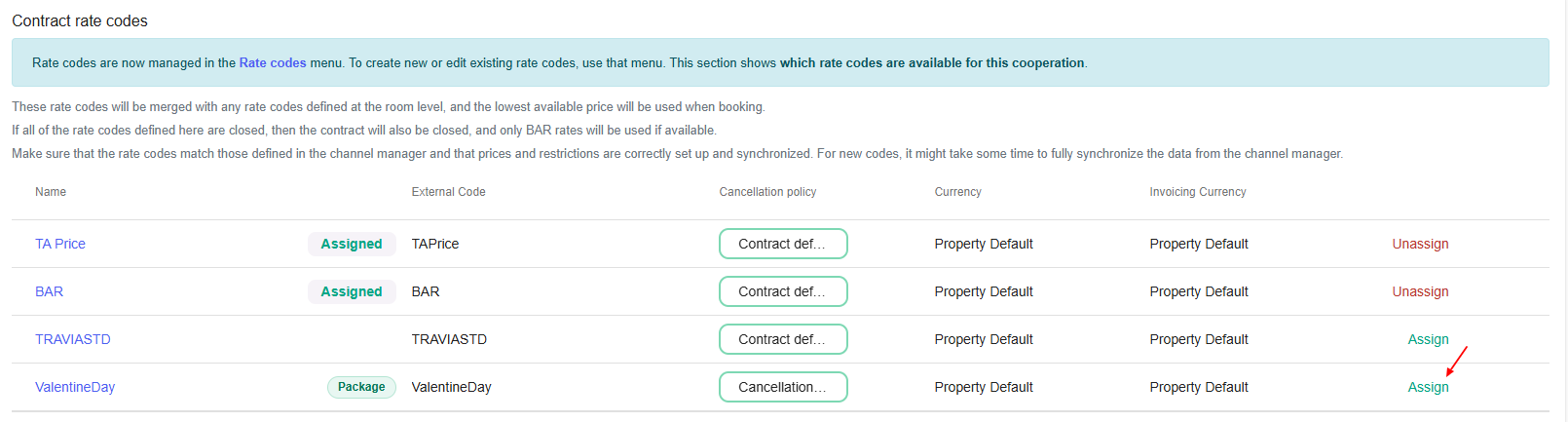
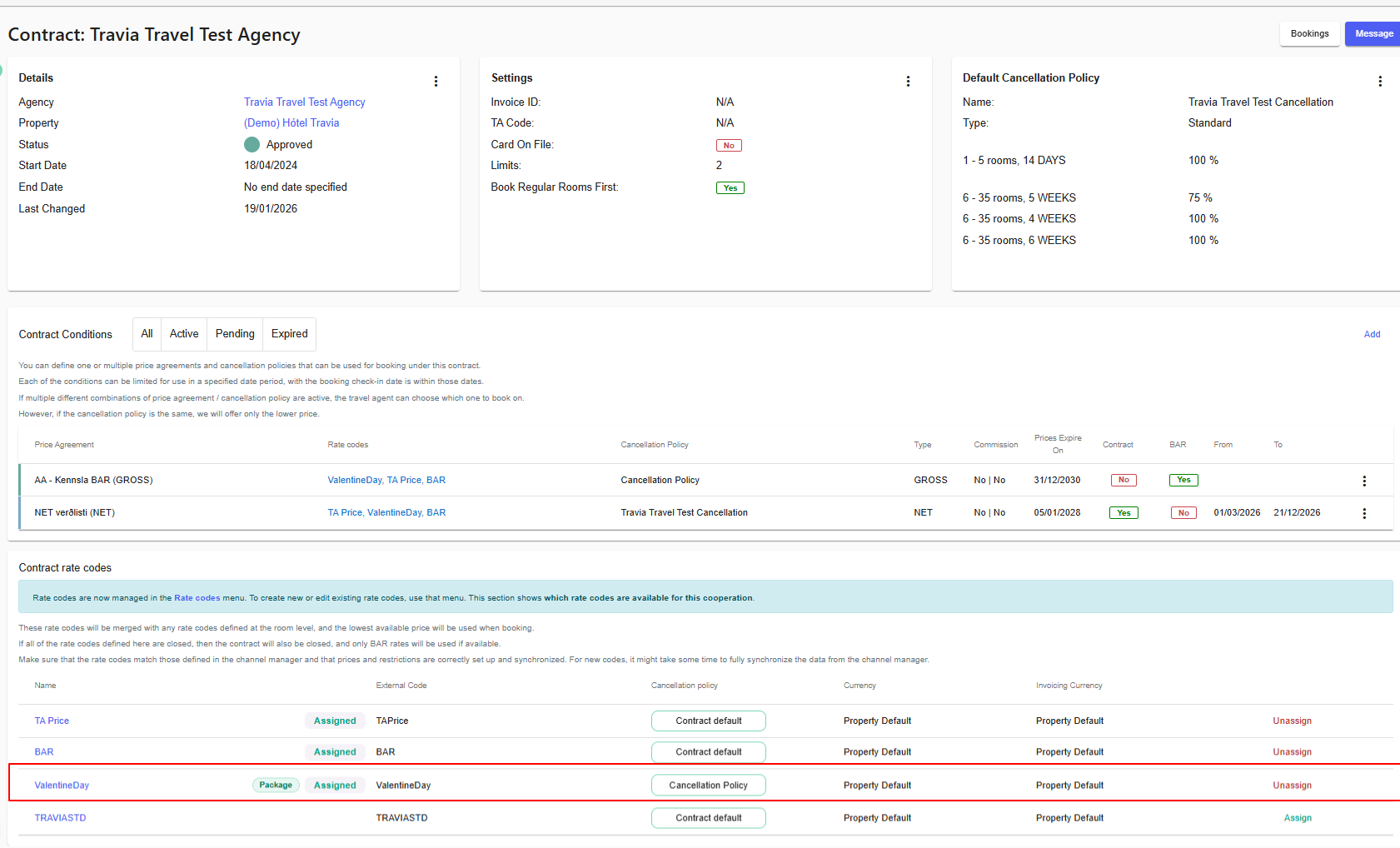
To give the travel agency an option to book the package you can either assign it to all contracts or choose which travel agency is applicable. Open a specific cooperation with a travel agency and manually assign the applicable rate code to their contract.
Important Synchronization Note
To ensure the package is function in Travia, you must first create the rate plan in Godo Property and enable Travia on that specific rate plan.
**Here is our help article on rate codes
Was this article helpful?
That’s Great!
Thank you for your feedback
Sorry! We couldn't be helpful
Thank you for your feedback
Feedback sent
We appreciate your effort and will try to fix the article