Properties in Iceland can activate a setting in Travia to specify whether the lodging tax is included in room prices or excluded and charged separately.
This setting is available as part of the property setup under Detailed Information.
1. Go to My Properties and open your property.
2. Click the Detailed Information tab.
3. Scroll down to Tax Settings.
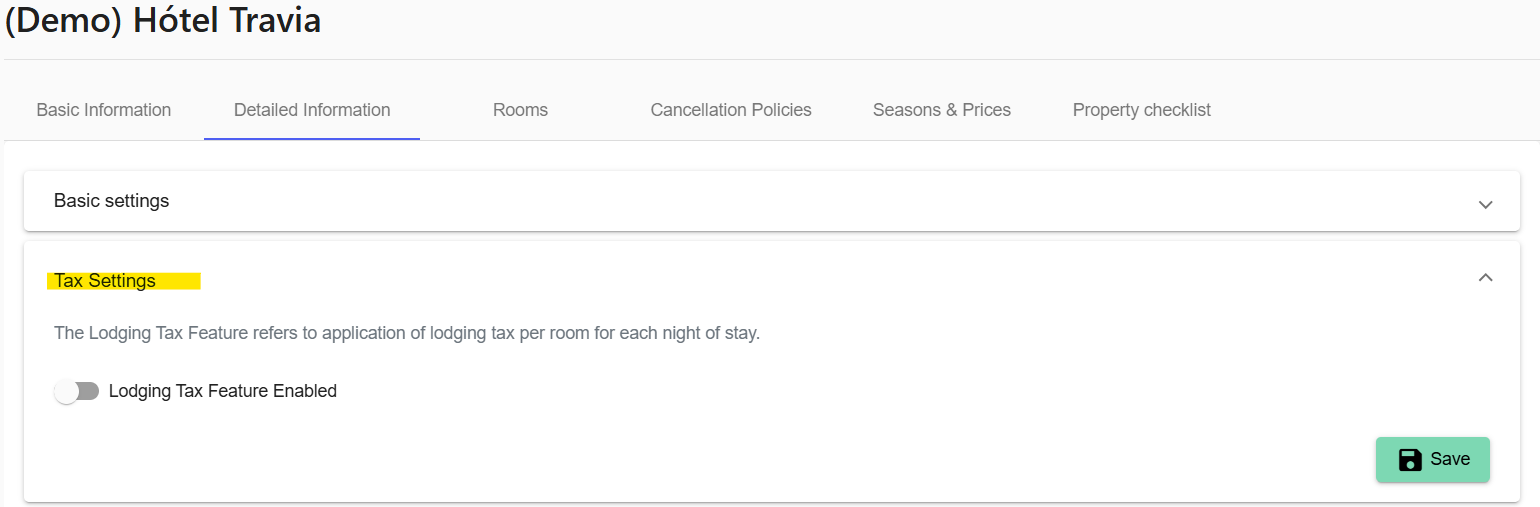
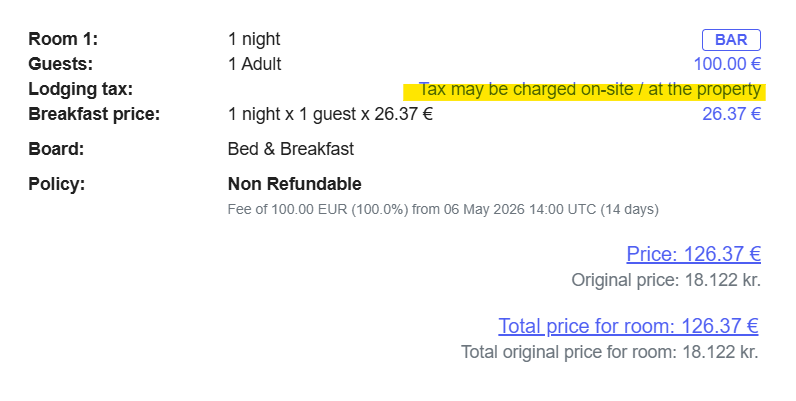
If this feature is not enabled, agents will see a message during the booking process advising that a lodging tax may be charged on site.
1. To enable the lodging tax feature, turn on Lodging Tax Feature Enabled.
2. Define the date range. To add more date periods, click the + icon.
You can create different lodging tax settings for different date ranges. Please note that the system allows gaps between date ranges.
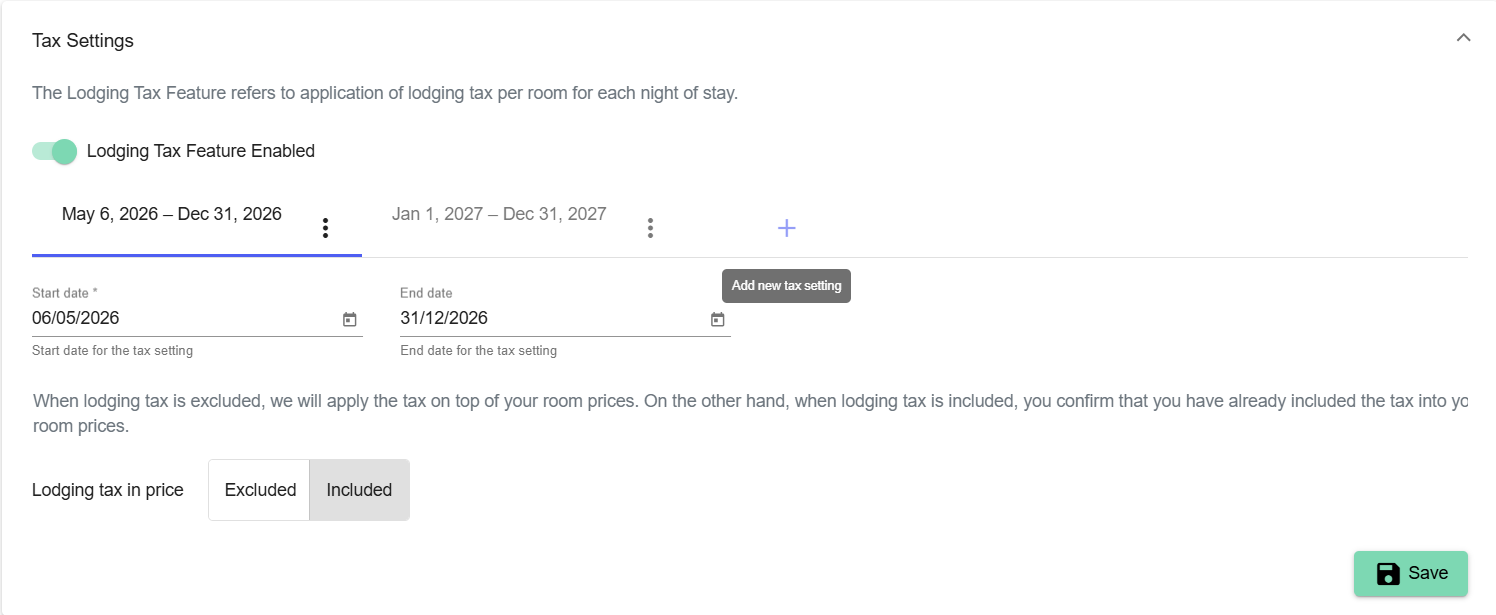
3. Under Lodging tax in price, choose how the lodging tax is handled.
Included - the lodging tax is already part of the room price. The booking process will show a message stating that the lodging tax is included in the room price.
Excluded - the lodging tax is added on top of the room price. You can choose how the tax is sent to your PMS or Channel Manager (as a separate line or included in the room price).
4. Enter the product ID used for accounting purposes in your PMS or Channel Manager under Lodging tax provider identifier. This identifier is used to map the lodging tax correctly in your system.
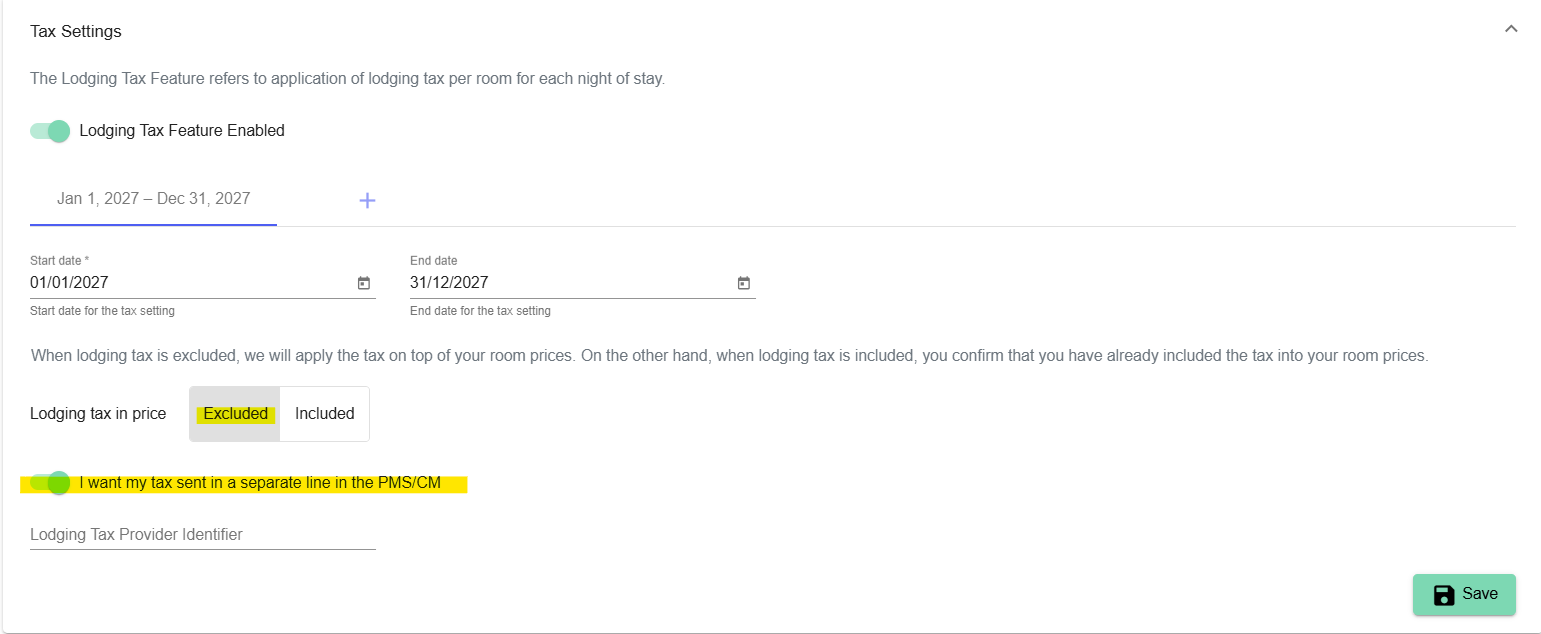
If you choose to exclude the lodging tax from prices, and your PMS already has a setting that automatically adds lodging tax to Travia bookings, you must disable that PMS setting. Otherwise, the lodging tax may be displayed twice.
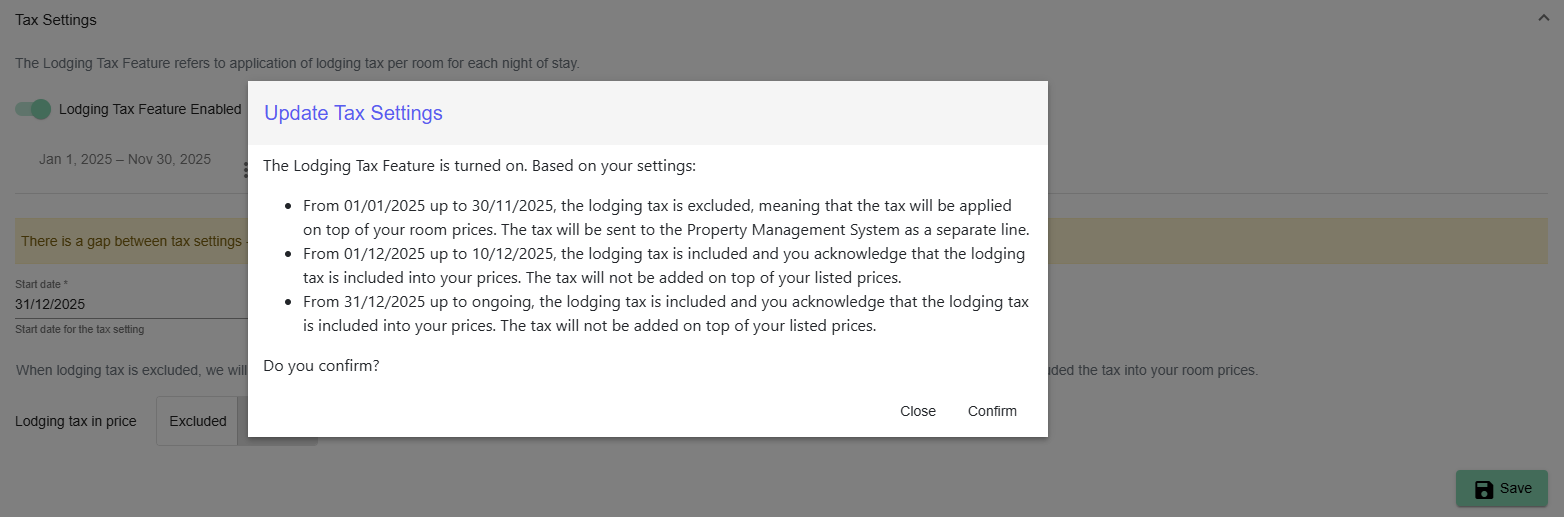
5. When you have finished your changes, click Save. A text box will display how the selected setting works.
Was this article helpful?
That’s Great!
Thank you for your feedback
Sorry! We couldn't be helpful
Thank you for your feedback
Feedback sent
We appreciate your effort and will try to fix the article