To create a property, navigate to My properties in the left sidebar.
If you have not created any properties yet, you will see the message “No properties found. Click here to create one.”
You can click that message to continue, or click Create new property.
You will then see two options:
1. Set up manually
2. Use assistant

If you choose Use assistant, you need to select a topic Create a new property.
A message window will appear where you can describe your property. The AI assistant will use this information to pre-fill the fields in the next step.
If you prefer, you can choose Set up manually and complete the fields yourself.
You will first be asked to enter basic information about your property. Complete all required fields before continuing.
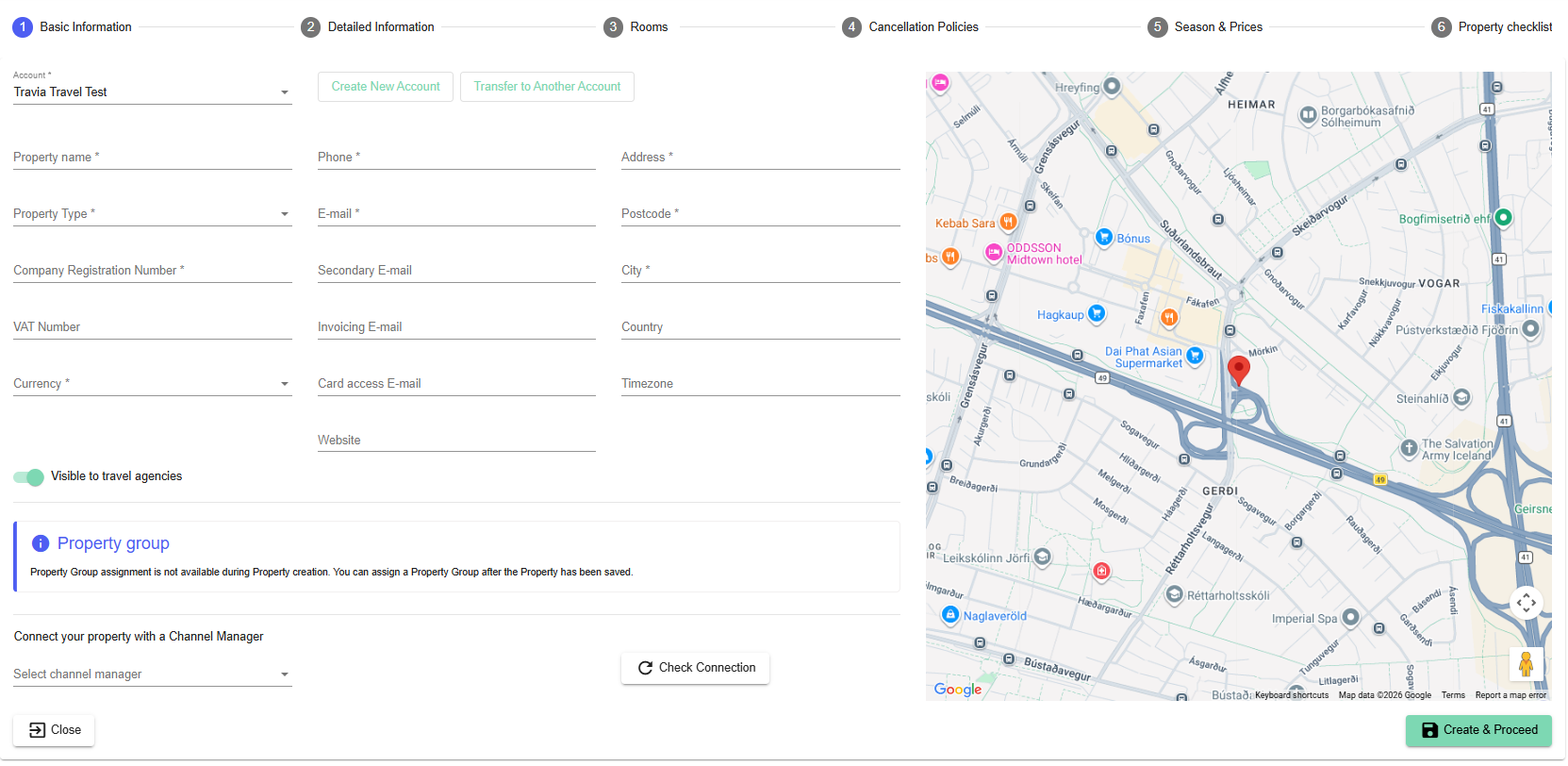
Some fields may need extra attention:
Currency - Select the currency used in your PMS (hotel system).
E-mail - This email address will receive notifications from Travia, including booking notifications, cooperation notifications, and system updates.
Secondary E-mail - This email address will receive booking-related notifications from Travia, including requested bookings, booking modifications, booking status changes, messages, name lists, and allotment reminders.
Map - If the map does not show the correct location after inserting properties Address, you can move the marker manually. This may be necessary for some addresses, especially in rural areas.
Visible to other travel agencies - This option is enabled by default. If you are not ready to receive cooperation requests, turn this setting off until setup is complete.
Property group - Use this field only if you manage multiple properties under the same brand.
E.g. Iceland Hotel Reykjanes and Iceland Hotel Reykjavík, then your property group would be "Iceland Hotel".
Connect your property with a Channel Manager - Enter your property key from your channel manager or hotel system.
Travia will confirm whether the property is connected.
Once you have filled in the basic information, click Create & Proceed.
Next Article - Detailed information
Was this article helpful?
That’s Great!
Thank you for your feedback
Sorry! We couldn't be helpful
Thank you for your feedback
Feedback sent
We appreciate your effort and will try to fix the article