To create a Travia account, go to https://app.travia.is.
A new registration window will open. Fill in the required information:
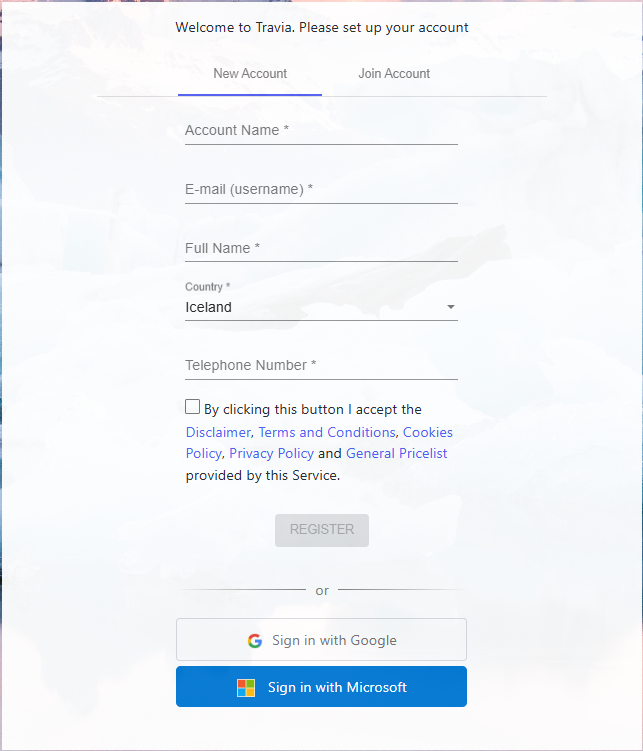
- Add your company name under Account Name.
- Enter your email address as your Username.
- Enter your Full Name.
- Select your Country.
- Enter your company Phone Number.
- Read and accept the Disclaimer, Terms and Conditions, Cookies Policy, and Privacy Policy by checking the box.
- Confirm that you are not a robot.
- Click Register to complete the registration.
You will then receive an email to activate your account.
After activation, log in with your email address and password.
Next article - Create a property
Was this article helpful?
That’s Great!
Thank you for your feedback
Sorry! We couldn't be helpful
Thank you for your feedback
Feedback sent
We appreciate your effort and will try to fix the article