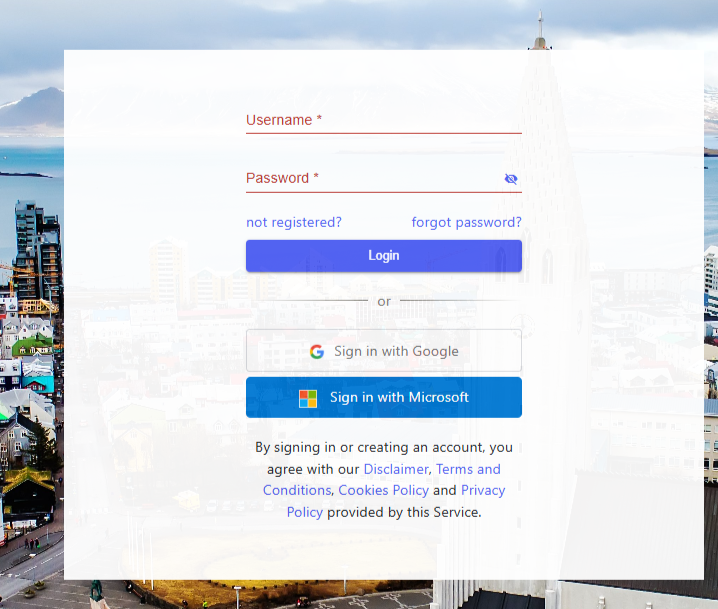
You can sign in to your Travia account using your Google or Microsoft account.
For registered users:
If you already have a Travia user account, you can link it to your Google or Microsoft sign-in.
Continue with Google - if you already have a Google account, you will need to enter your Travia password the first time you sign in with Google. After that, you will only be able to sign in using Google.
Continue with Microsoft - if you already have a Microsoft account, you will need to enter your Travia password the first time you sign in with Microsoft. After that, you will only be able to sign in using Microsoft.
For users who are not registered:
If you do not already have a Travia account, you can create one by signing in with Google or Microsoft.
Continue with Google - the first time you sign in with your Google email address and password, a Travia account will be created automatically with your full name, country, and email address pre-filled.
Please note that this information cannot be changed.
You will need to add your telephone number and accept the terms and conditions.
Continue with Microsoft - the first time you sign in with your Microsoft email address and password, a Travia account will be created automatically with your full name, country, and email address pre-filled.
Please note that this information cannot be changed.
You will need to add your telephone number and accept the terms and conditions.
Was this article helpful?
That’s Great!
Thank you for your feedback
Sorry! We couldn't be helpful
Thank you for your feedback
Feedback sent
We appreciate your effort and will try to fix the article