You can enable Two-factor authentication on your user account for an extra layer of security when signing in to Travia.
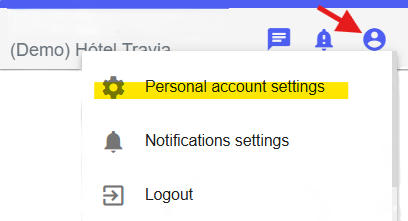
2. Select Personal account settings.
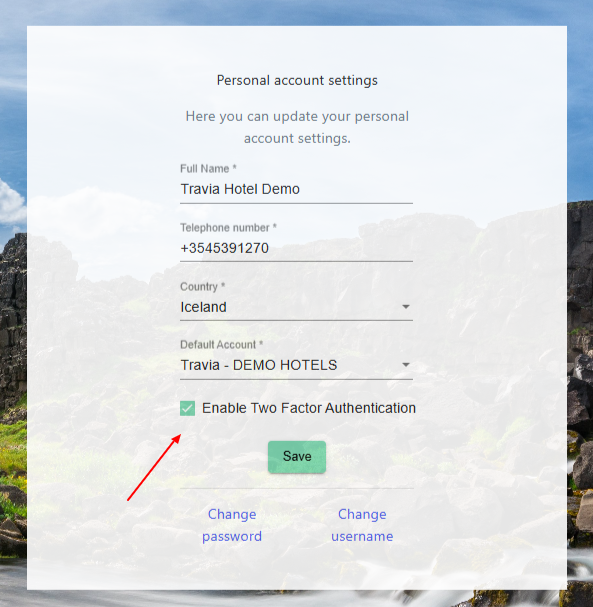
3. Select Enable Two Factor Authentication.
4. Click Save to save your changes.
The next time you sign in, a one-time code (OTP) will be sent to your email address. The code is valid for 5 minutes. You can resend the OTP code up to 5 times.
After each session, you will be prompted to sign in again using a new code.
Was this article helpful?
That’s Great!
Thank you for your feedback
Sorry! We couldn't be helpful
Thank you for your feedback
Feedback sent
We appreciate your effort and will try to fix the article