Use this guide when you need to update an existing pricelist, extend it to a new period, or copy your current seasons and prices into a new pricelist.
Create an extended pricelist:
1. Go to My Properties and select the property you want to update the pricelist for.
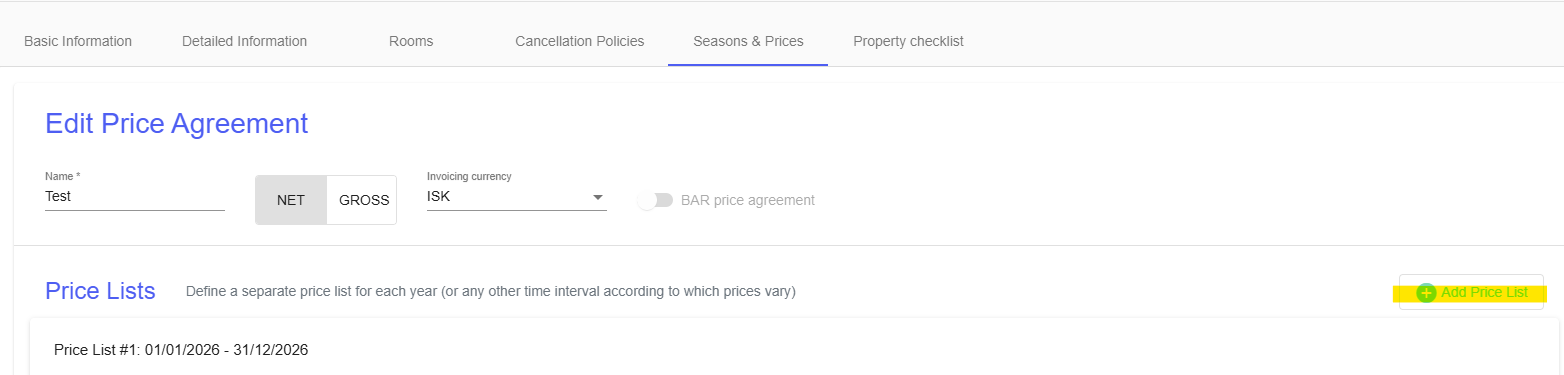
2. Go to Seasons & Prices and select the pricelist you want to update.
3. Click Add Pricelist.
4. Select the time period you want to extend the pricelist for.
5. Click Custom to choose a specific date range. For example: 01/01/2027–31/12/2027.
6. Select the pricelists Currency and Invoicing Currency.
7. Click Add.
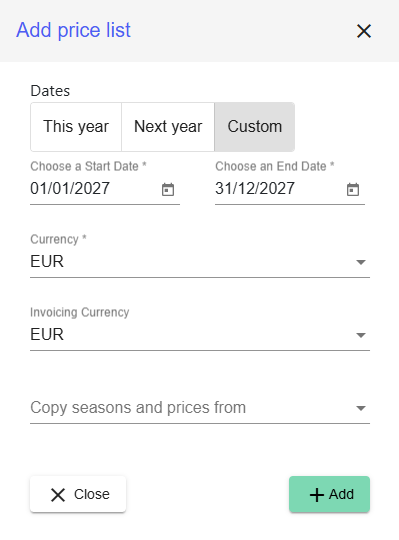
Your new extended pricelist has now been created. You can now add prices for each room.
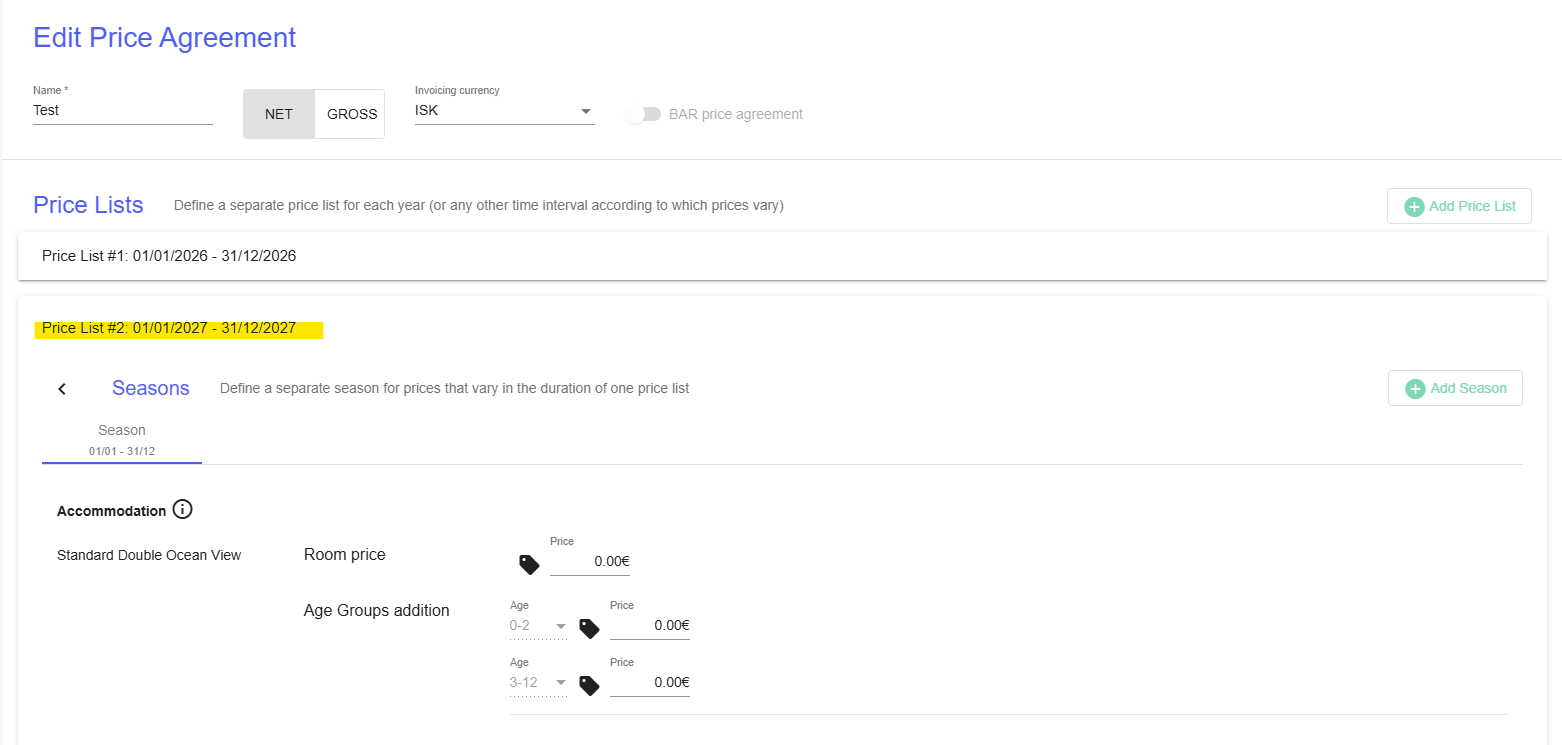
Copy seasons and prices from an existing pricelist:
If you want to extend your current pricelist without changing the prices, you can copy the seasons and prices from an existing pricelist.
1. Click Copy seasons and prices and select the pricelist you want to copy from.
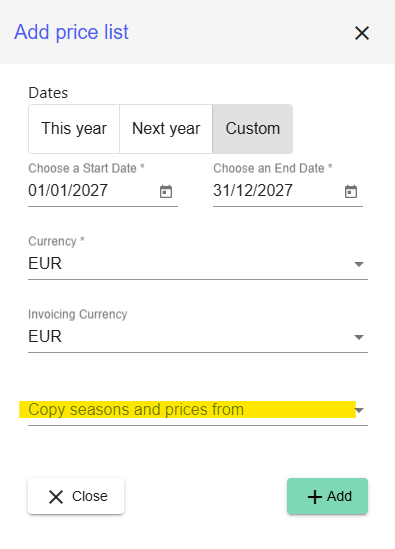
2. If you want to increase your prices, enter the percentage increase in the Percentage field. If you want to keep the same prices, leave the Percentage field empty.
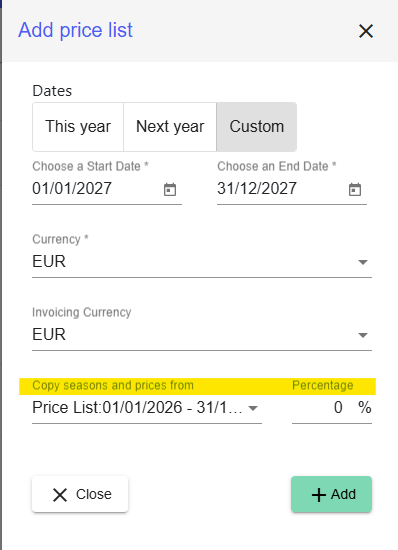
3. Click Add.
If you use the percentage feature, the room prices will automatically be updated with the new prices.
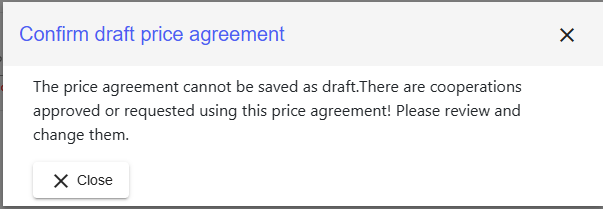
You can always save your changes as a draft by clicking Save Draft. This allows you to continue working on the pricelist later. The pricelist will not be published until you click Save price agreement.
Please note that drafts cannot be saved when the pricelist is already connected on a cooperation level.
Publish the updated pricelist:
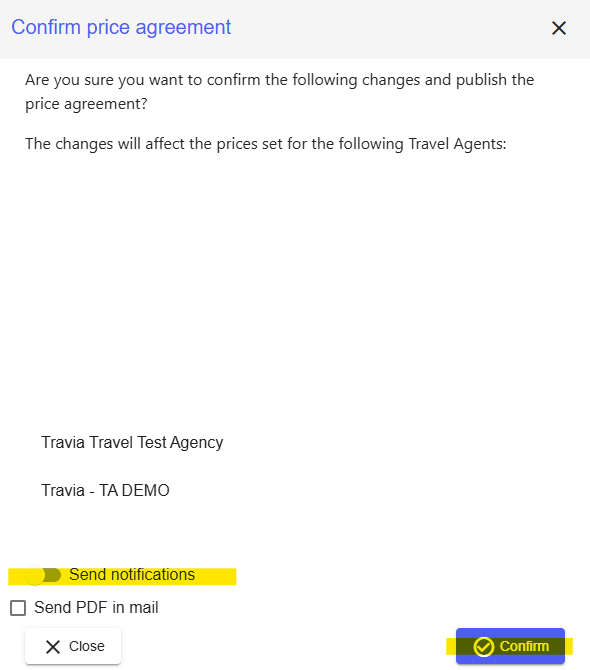
When you are happy with your updated pricelist and ready to publish it, click Save price agreement.

When you click Save price agreement, you will see the travel agencies connected to this pricelist through your cooperation. If you want to notify these agencies about the changes, check the Send notification box before you click Confirm.
Was this article helpful?
That’s Great!
Thank you for your feedback
Sorry! We couldn't be helpful
Thank you for your feedback
Feedback sent
We appreciate your effort and will try to fix the article